
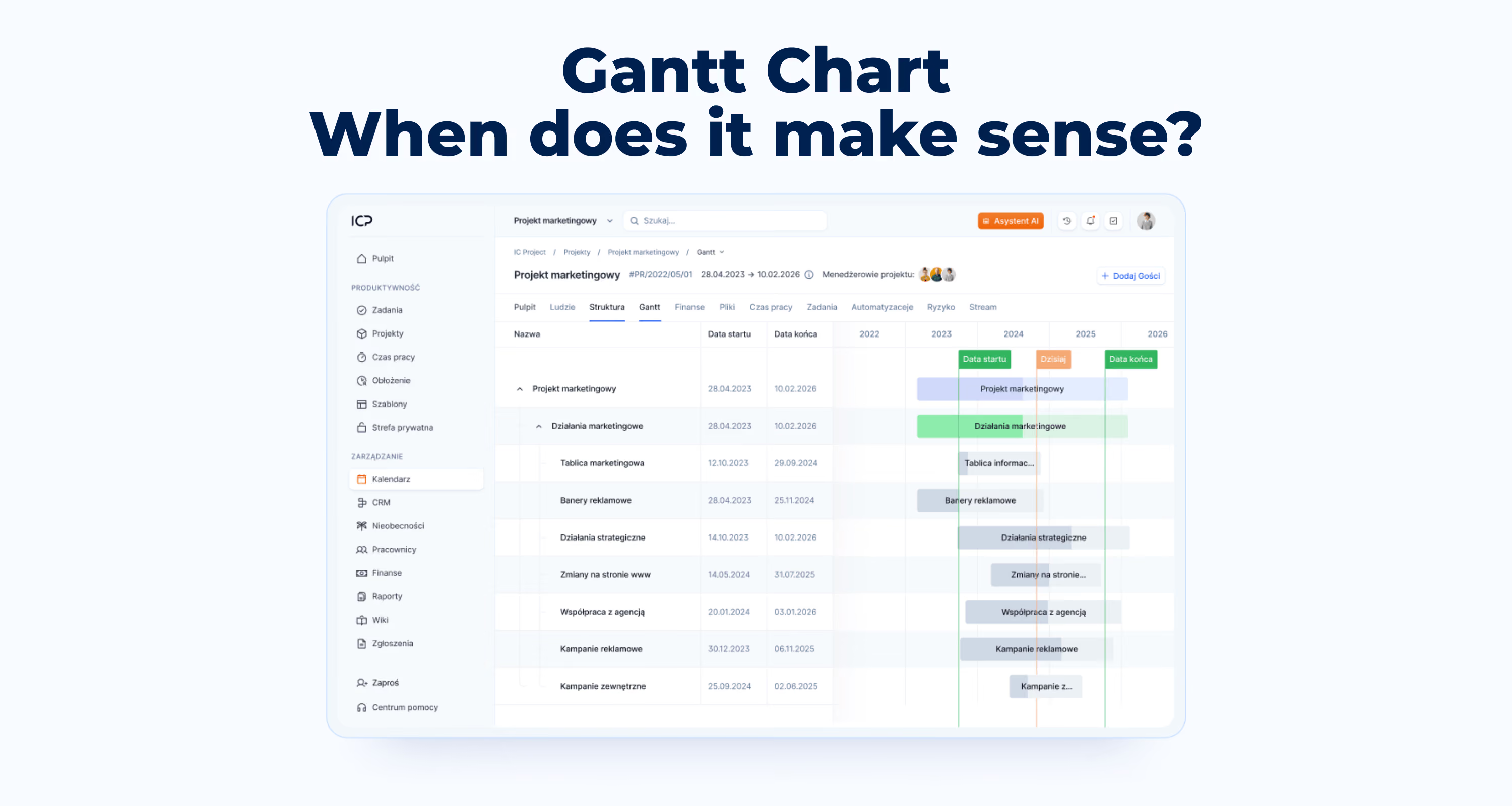
When does a Gantt chart make sense?
🔵 In some cases Gantt improves work, in others it only gets in the way. Here are 4 questions that will show whether your project fits a chart.

Tell our team about your needs and we will customize the tool as part of your chosen package!
In most large organizations, the Gantt chart is the default project planning tool. Often not because someone analyzed alternatives and consciously chose it, but simply because “that’s how it’s done.” The PMO requires a schedule, a schedule means a Gantt, case closed.
The problem is that Gantt works well only under specific conditions. Outside of them, it becomes an unnecessary ritual. You update the chart because you’re supposed to, but decisions are made based on something else; intuition or daily status updates.
This article is not about what a Gantt chart is. I assume you know that. It’s about which projects Gantt actually helps in, and which ones it generates more work than value.
Where the Gantt chart really works
Gantt works well in projects with three characteristics:
1. The scope is defined and stable.
You know what is going to be delivered. The specification will not change halfway through because the client won’t see the product until the end and won’t say “this isn’t what we meant.” Examples: infrastructure construction, implementation of a production line, organizing an event with a fixed date.
2. Dependencies between tasks are hard.
The foundation must be ready before the walls. Servers must be running before data migration. If task B truly cannot start before task A is finished, Gantt shows this well.
3. The sequence of actions is predictable.
You know not only what will be done, but also in what order. You are not discovering the process along the way; you are executing a known pattern.
In such projects, Gantt does what it was designed to do: it visualizes the critical path, shows where time buffers exist, and allows you to detect collisions before they turn into a crisis.
It also works as a communication tool. One view for management that shows milestones and overall progress without diving into details they don’t actually need.
Three types of projects where Gantt creates chaos
1. Projects with a discovered scope
Digital transformations, product implementations, R&D projects, and anywhere you know what you want to achieve at the start, but not yet exactly how. Requirements are refined along the way. Users test a beta version and report changes. Technical constraints appear that no one anticipated.
A detailed 18-month Gantt in such a project is a document that becomes outdated within the first two months. You can maintain it, but the cost of constant updates increases while informational value decreases. At some point, the chart shows a plan that no longer applies.
2. Projects with many teams working in parallel
Gantt assumes dependencies are binary: a task is either finished or not. In corporate reality, dependencies are soft. Team B can start when team A is “mostly done,” but what does “mostly” mean? 80%? 90%? Which part?
With five teams working in parallel, touchpoints—integration, handoffs, joint testing—become places where the chart loses touch with reality. The bars show that everything is running in parallel, but they don’t show that integration is stuck because two teams understood the interface differently.
3. Projects with frequent priority changes
In environments where the business reacts quickly to the market, priorities change every few weeks. We started with feature X, but halfway through the quarter an enterprise client needs feature Y to sign a contract.
Each such change in Gantt requires: shifting bars, recalculating dependencies, updating the critical path, sometimes rebuilding the entire layout. With changes every two weeks, keeping the chart up to date becomes a full-time job. The tool that was supposed to help manage work now requires management itself.
What instead of Gantt (depending on the project type)?
There is no single, universally applicable Gantt replacement tool. There are approaches better suited to specific situations.
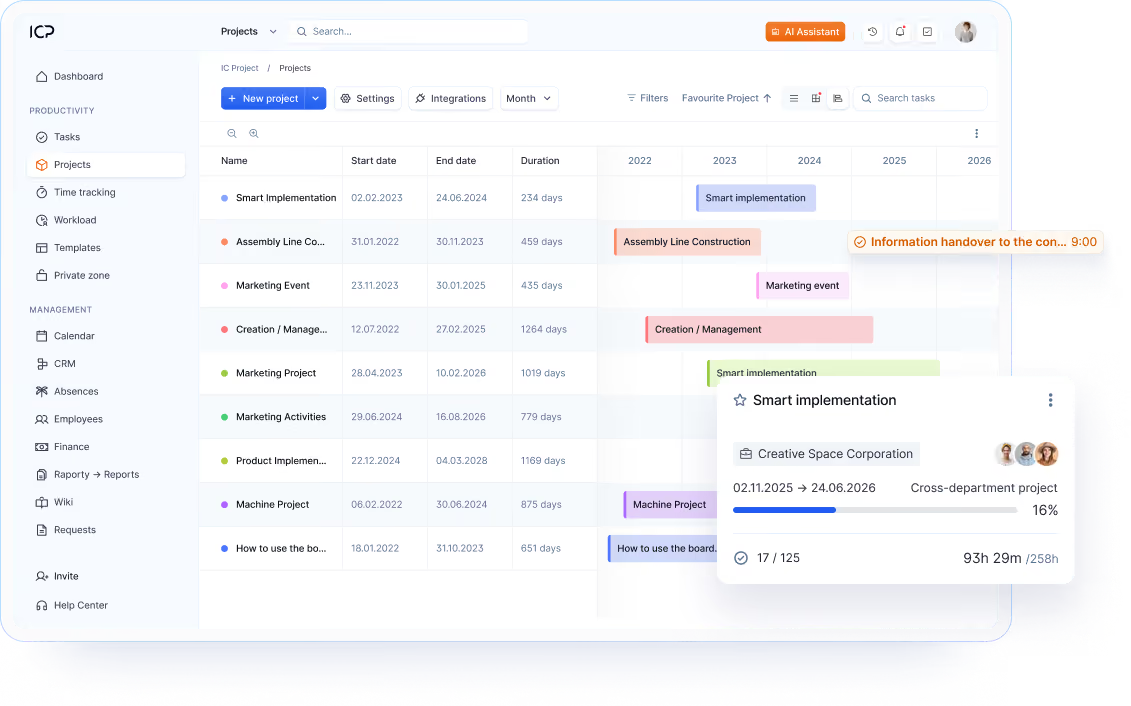
There is no single ideal tool that universally replaces Gantt. There are approaches better suited to specific situations.
For projects with uncertain scope: iterative planning
Instead of a schedule for the entire project, you plan in short cycles, e.g. two-week or monthly. At the beginning of the cycle, you decide what is most important, and at the end you verify what was achieved. A backlog prioritized by business value replaces a detailed schedule.
You don’t need to know what you’ll be doing in six months.
You need to know what needs to be done now and what comes next.
For projects with many teams: Kanban and flow management
A Kanban board shows bottlenecks in real time. If tasks pile up in the “waiting for integration” column, you see the problem without recalculating the critical path. Kanban doesn’t require constant updates. Teams move cards themselves, and the board state is always current.
For projects with changing priorities: quarterly planning with buffer
Quarterly goals instead of a yearly schedule. 70–80% of time planned, the rest reserved for things that will emerge along the way.
This requires a different conversation with stakeholders.
Instead of “it will be ready on March 15,” you say “we’re working on it in Q1, first results by the end of February.” Less precise, but more honest.
Hybrid: Gantt for reporting + SOMETHING else for management
In practice, you often need both.
Gantt for upward communication, because management wants to see milestones and dates, and Kanban or iterations for actually managing team work. Usually this approach requires implementing two tools, but not here—in ICP you have everything in one place.
Different audiences need different views.
The key is not to confuse the view with reality. Gantt for management is a simplified summary, not a detailed day-by-day plan.
4 questions before choosing a tool
1. Is the scope stable?
The more uncertainty, the less sense detailed upfront planning makes.
2. How often do priorities change?
If every month, Gantt will be an obstacle. If once a quarter, it might work.
3. Who is the audience for planning?
If only the team, you need clarity. If management and stakeholders, you also need a bird’s-eye view.
4. How much time goes into updating the plan vs managing the project?
If the balance shifts toward updates, the tool has become the problem, not the solution.
Conclusion
The Gantt chart is not bad; it may simply be poorly matched to certain types of projects.
Just like a hammer isn’t a bad tool, but you won’t screw in a bolt with it.
The best thing you can do as a PM in a large organization is to match the tool to the nature of the project, not the other way around. Sometimes it will be Gantt. Sometimes Kanban. Sometimes a simple prioritized backlog, and often a combination.
A detailed year-long Gantt chart looks professional. But if it doesn’t match the nature of the project, the only thing you’re controlling is the appearance of the chart, not the project.
Author: Norbert Sinkiewicz – Head of Product & Marketing at IC Project, in SaaS since 2019. He leads the roadmap combining product, sales, and marketing. His certifications include: CPPM (2023), PLG Fundamentals (2023), Google Skills of the Future – AI (2025). Quoted by Forbes, Business Insider, and money.pl.Last updated: 22.12.2025
Also read
Update 09/2026: Even more accurate project planning
September IC Project update: set project duration in days and exclude non-working days from schedules. Plan projects faster and more accurately.
.png)
.png)
Try IC Project in your company
Our team is ready to help!

Create a free account and test with no obligation