
Internal corporate messenger - definition, examples, and use cases
Learn how company chat apps improve internal communication, organize teamwork, reduce information noise, and support faster decision-making.

Tell our team about your needs and we will customize the tool as part of your chosen package!
A company chat app brings order to day-to-day communication when it replaces random messages with a clear structure of channels, threads, and rules. It’s not just a chat for quick questions, but a work tool that affects how fast agreements get made and how visible decisions are. The biggest value shows up when the team knows what to post publicly, when to use threads, and where to save decisions. In practice, that means less time spent hunting for information, fewer unnecessary meetings, and fewer conversations happening in private messages.
What is an internal company messenger?
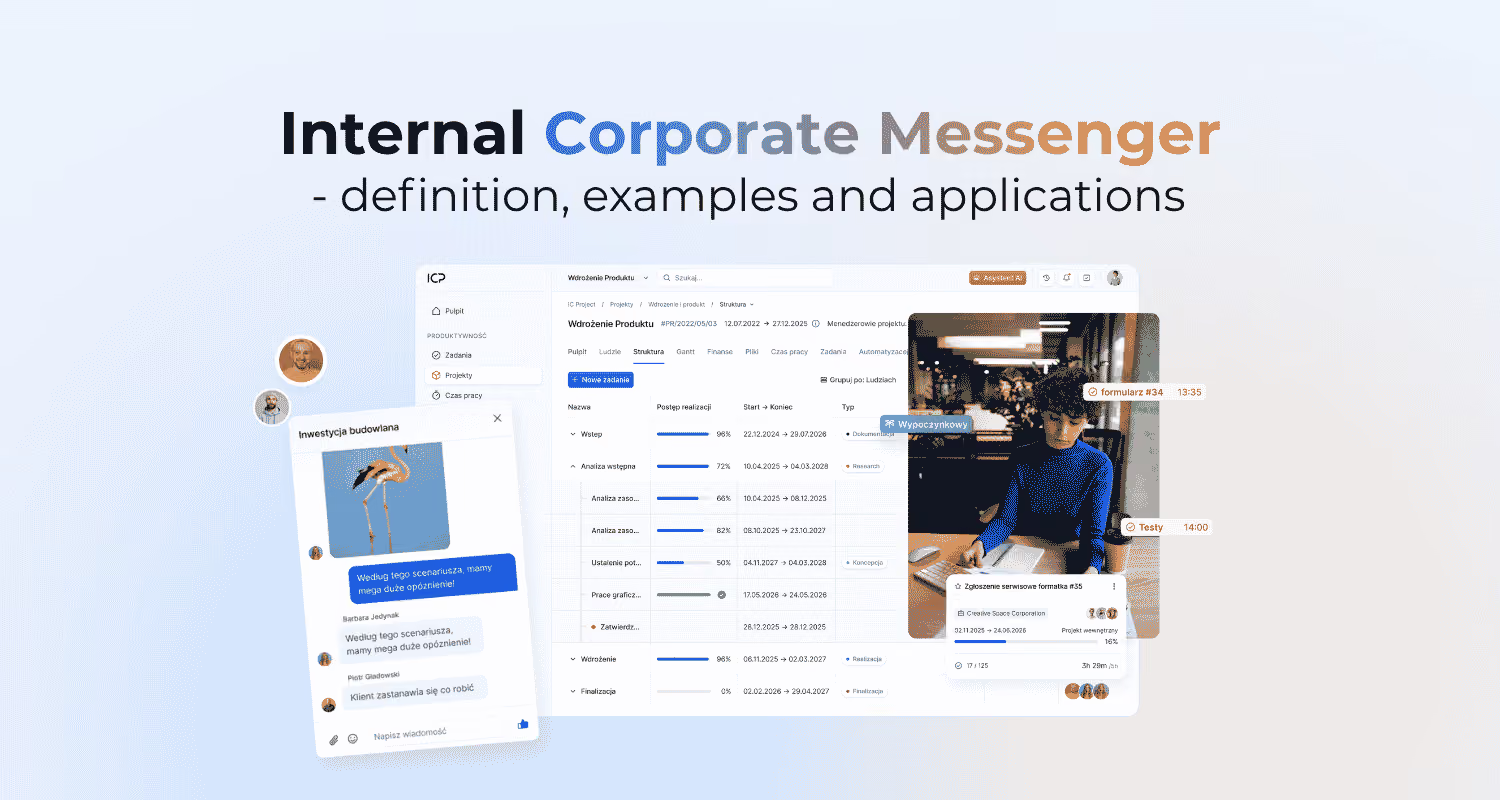
An internal company messenger is a digital tool for synchronous and asynchronous communication between employees. It combines direct messages, topic-based channels, groups, and audio or video calls. That lets the team either sort something out quickly or come back to the conversation later without losing the full context.
In practice, it works by splitting communication into channels, using mentions to direct attention, and setting notification preferences. A well-designed channel structure keeps conversations organised by teams, projects, topics, or processes. Examples might include channels like #team-marketing, #proj-new-landing-page, or #process-recruitment. Search is also a key feature, because it helps people find earlier decisions, files, and answers.
The key benefits of using company messengers
The biggest benefits of using company messengers are faster information flow, fewer emails, and better visibility into the work. Instead of scattering decisions across inboxes, meetings, and phone calls, the team can have the conversation where the topic actually comes up. That speeds up simple operational decisions and makes it easier to raise blockers or questions.
- fewer internal emails,
- fewer short status meetings,
- better visibility of decisions for people outside a single conversation,
- an easier way to gather context around a project or process,
- an up-to-date knowledge base built inside channels and threads.
The most noticeable benefit appears when the messenger supports work in a specific context rather than acting as one big general company chat. If a decision is made in a channel and linked to a task or document, the team is less likely to come back to the same questions. That’s when the tool starts genuinely supporting coordination instead of just increasing the number of messages.
How does an internal messenger work in practice?
An internal messenger works by dividing conversations into channels, private messages, threads, and mentions that direct attention to the right people. That way, the team doesn’t run everything through one stream but assigns each conversation to a project, process, or topic. A public channel gives broader context, while a private one limits access to more sensitive decisions.
In practice, availability statuses, notification settings, and searchable message history matter too. A status shows whether someone is available, and notifications help separate an urgent mention from regular noise. If the team doesn’t use threads and doesn’t agree on rules for mentions, conversations quickly become hard to follow. Search helps people return to earlier decisions, files, and answers without asking the same people all over again.
The most commonly used formats are:
- direct messages for quick one-to-one decisions,
- public channels for team and project topics,
- private channels for a limited group,
- threads to keep replies organised under a specific question,
- audio or video calls, files, and code snippets.
Business use cases for internal messengers
Internal messengers work best for fast operational alignment and day-to-day work coordination. In a project channel, the team can run an asynchronous stand-up, report a blocker, and immediately tag the person who can help. That speeds up response time without calling a short meeting. A separate company-wide channel also works well for announcements, because the information goes into one place that’s easy to find later.
The range of use cases also depends on how the team works. In Agile, a messenger supports sprints and dailies because it makes ongoing questions, clarifications, and quick decisions easier. In Waterfall, it works better for handing work off between stages and coordinating dependencies. In remote or hybrid work, it creates a digital office that keeps people connected and gives the day a shared rhythm.
For these use cases to work, channels need clear roles. The channel owner looks after the purpose and order of the channel, the Project Manager sets the project communication rules, and the team leader sets the example. Participants should add context and short summaries, because a back-and-forth exchange of messages alone doesn’t create useful knowledge.
How messengers support work methodologies
Messengers support work methodologies when they reflect the team’s rhythm and the places where decisions get made. In Agile, they help manage sprint communication, quick clarifications, and daily blocker reporting. The team doesn’t have to wait for a meeting if the question can be resolved in the project channel.
In a Waterfall approach, a messenger makes it easier to hand work over between stages and keep track of dependencies. In a remote or hybrid model, it creates a virtual office that keeps people connected without constant calls. The tool works best when channels, notifications, and the way summaries are handled are matched to the specific way the team works.
Common challenges and anti-patterns when using messaging apps
The biggest problems usually don’t come from the tool itself, but from a lack of rules and poor communication habits. Then, instead of bringing order to the work, the messaging app creates noise, distracts people, and buries decisions. The costliest mistake is making important decisions in private messages, because that knowledge stops being available to the team.
- key decisions handled in DMs,
- too many inactive channels,
- mixing several topics in one channel without threads,
- no channel owner and no rules for keeping conversations organized,
- expecting an immediate response to every message.
These anti-patterns lead to fragmented knowledge, cognitive overload, and loss of context. The problem gets worse when a conversation doesn’t end with a short summary and a link to the task or document. That’s an easy warning sign to spot, because people keep coming back with the same questions. The team also slips into a culture of constant availability, which hurts focus and increases the risk of burnout.
How do you measure the success of rolling out an internal messaging tool?
The success of a messaging rollout is measured by the speed of decision-making, the quality of information flow, and how consistently decisions are moved into the source of truth. The number of messages alone says very little, because activity can mean either order or chaos. It’s better to check whether the team agrees on operational matters faster, comes back less often with the same questions, and relies less on email. The best metrics connect tool usage with work outcomes, not just with being present in the messaging app.
- time to make operational decisions,
- the percentage of decisions recorded in Jira or another source of truth,
- a drop in the number of internal emails,
- the tool adoption rate across teams and projects,
- survey-based ratings of improved information flow.
Interpreting this data requires organizational context. High adoption isn’t enough if important decisions are still being made in DMs or aren’t linked to a task or document. Likewise, a drop in email is only a good sign if it doesn’t come with a rise in unclear channels and unnecessary notifications. If a company wants to evaluate the rollout honestly, it should track these metrics regularly and compare them against its communication rules.
Results are also shaped by organizational culture. In an open team, a messaging app strengthens transparency, but in a rigid hierarchy it won’t fix information-flow problems on its own.
Also read
Update 09/2026: Even more accurate project planning
September IC Project update: set project duration in days and exclude non-working days from schedules. Plan projects faster and more accurately.
.png)
.png)
Try IC Project in your company
Our team is ready to help!

Create a free account and test with no obligation